
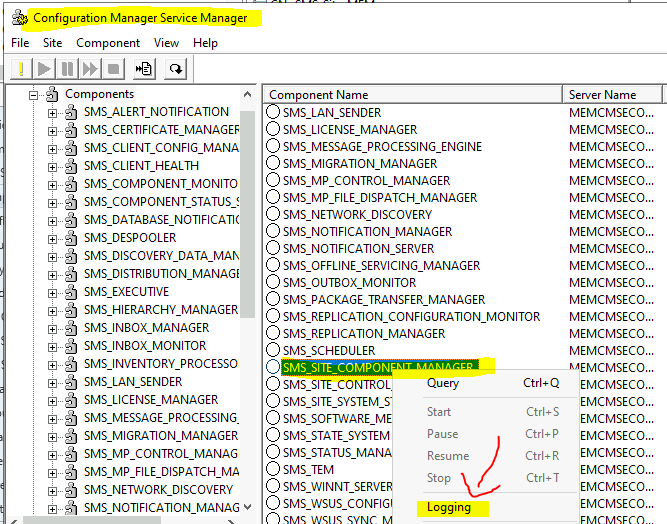
Where is the ConfigMgr Service Manager Option in the SCCM Console? This is a small, short, and simple blog post about the ConfigMgr Service Manager Option. How can I change the Log file Size using Configuration Manager Service Manager?
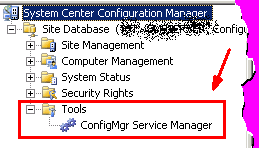
If you know SCCM, we’re familiar with the Tools – ConfigMgr Server Manager option in the SCCM 2007 console. During troubleshooting, it’s very useful to stop one particular component or thread ( such as SMS_OFFER_MANAGER).
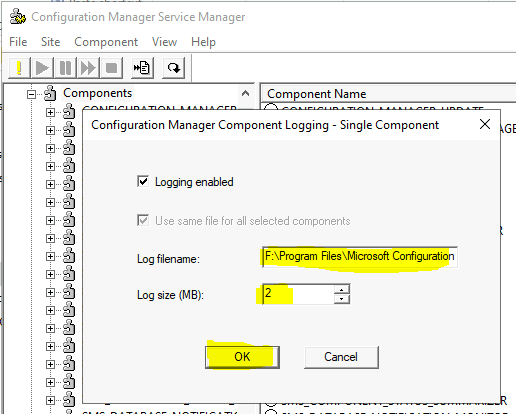
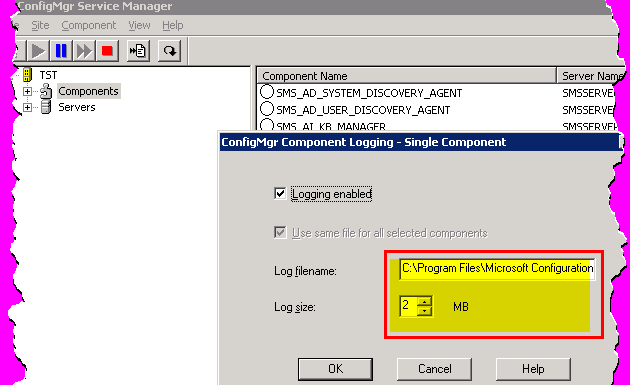
Also, Configuration Manager Service Manager is useful if you want to increase the log file size of a particular component. You need to right-click and select the LOGGING option.
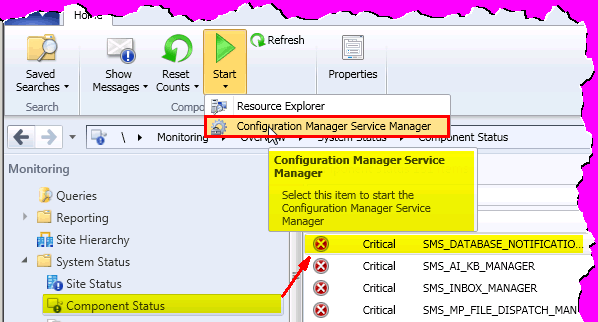
Where is the ConfigMgr Service Manager Tool option in SCCM 2012 or ConfigMgr 2012? Yes, it’s under “\Monitoring\Overview\System Status\Component Status.”

- FIX SCCM Client Inactive Issue After The Upgrade SCCM Notification Server Component Issue
- Enable Windows 10 Servicing Using SCCM | ConfigMgr | WSUS
- Cosmetic Issue With SCCM CB 1710 Service Manager Console
- SCCM Co-Management Video Guide – Intune
| Index |
|---|
| ConfigMgr Current Branch Service Manager |
| Change SCCM Log Size ConfigMgr Service Manager Option |
| ConfigMgr 2007 – Where is ConfigMgr Service Manager Option |
ConfigMgr Current Branch Service Manager
You can launch Configuration Manager Service Manager from the SCCM console. Below is an example of starting Configuration Manager Service Manager for SMS_Site_Component_Manager.
- Navigate to \Monitoring\Overview\System Status\Component Status.
- Select and right-click on the SMS_Site_Component_Manager for the secondary site.
- Click on the Start button and select Configuration Manager Service Manager.
Change SCCM Log Size ConfigMgr Service Manager Option
Let’s check how to Change each component’s SCCM Log Size Configuration Manager Service Manager Option.
- Navigate to \Monitoring\Overview\System Status\Component Status.
- Select and right-click on the SMS_Site_Component_Manager for the primary or secondary site.
- Select the Logging option to change the log file size.
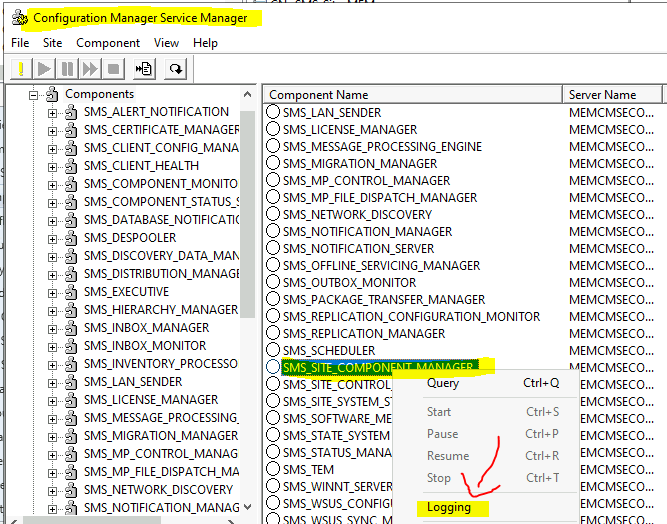
If you try to change the log file size of the remote site server, the message will appear as follows.
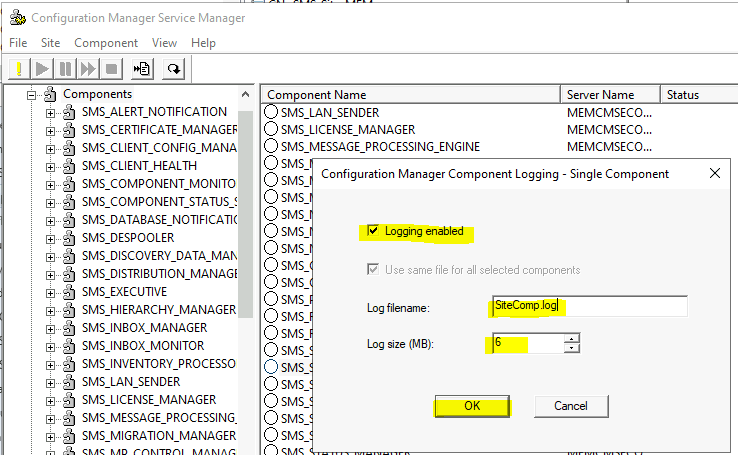
If you use a console from the primary server and want to change the log file size, you will see the following screen.
The default size of the log file is 2MB. You can change this size from the following window.
Configuration Manager 2007 – Where is ConfigMgr Service Manager Option
Where is the ConfigMgr Service Manager Option in ConfigMgr 2007?
You can change the log file size for each SCCM 2007 component.
Resources
We are on WhatsApp. To get the latest step-by-step guides and news updates, Join our Channel. Click here –HTMD WhatsApp.
Author
Anoop C Nair has been Microsoft MVP from 2015 onwards for 10 consecutive years! He is a Workplace Solution Architect with more than 22+ years of experience in Workplace technologies. He is also a Blogger, Speaker, and leader of the Local User Group Community. His main focus is on Device Management technologies like SCCM and Intune. He writes about technologies like Intune, SCCM, Windows, Cloud PC, Windows, Entra, Microsoft Security, Career, etc..
Brilliant, thanks again Anoop!
Great resource tool to determine the command correlation between SCCM2007 and SCCM2012. Thank you.